GitHub for recruiting knowledge bases
A version-controlled GitHub repository that stores a recruiting team's SOPs, prompt libraries, outreach templates, Boolean search strings, and process playbooks in Markdown so AI assistants, agents, and new hires all reference the same current documentation.
Michal Juhas · Last reviewed May 5, 2026
What is GitHub for recruiting knowledge bases?
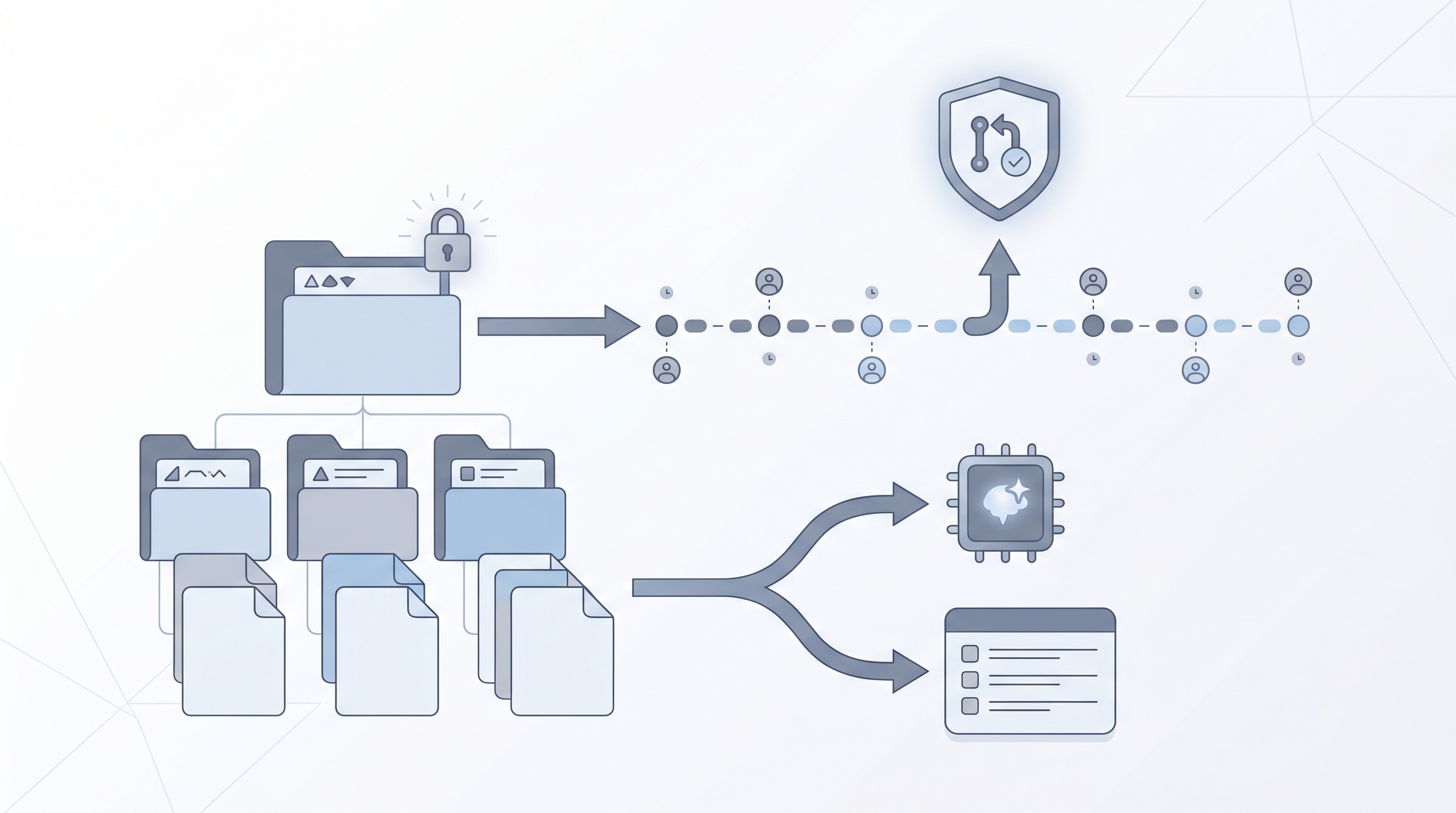
A GitHub recruiting knowledge base is a private repository where a TA team stores its working documents in Markdown: prompt libraries, outreach templates, Boolean search strings, interview playbooks, GDPR handling notes, and ATS stage definitions. Instead of a shared Google Drive folder where nobody knows which version is current, or a Notion workspace where edit history disappears after 30 days on a free plan, a GitHub repo gives the team a full commit log, a review workflow, and plain-text files that AI tools can read directly.
The practice has grown as recruiting teams started wiring AI assistants to their internal process documents. Feeding an AI assistant your current outreach framework from a Markdown file produces better output than a generic prompt because the model has specific context. A GitHub repo makes that context version-controlled, shareable, and reviewable.
In practice
- A TA ops lead saying "update the outreach template in the repo and submit a PR" is describing version-controlled prompt management: the same pattern an engineering team uses for code, applied to recruiting playbooks.
- When a new sourcer joins and the team says "everything is in the GitHub repo, start with /prompts," that is an onboarding handoff that used to require shadowing or days of tribal knowledge transfer.
- The failure mode is a well-named repo with no owner: within three months, the prompts are outdated, the Boolean strings no longer match current ATS fields, and recruiters stop checking because they cannot trust what is in there.
Quick read, then how hiring teams use it
This is for recruiters, TA ops practitioners, and HR partners who want to understand what a GitHub knowledge base is, why teams are building them, and whether it makes sense for their setup. Skim the first section for the shared vocabulary. Use the second when you are deciding how to structure or expand a knowledge base your team already has or is starting.
Plain-language summary
- What it means for you: Your prompt library, outreach templates, Boolean strings, and process docs live in one place with a full edit history. When something changes, everyone works from the same current version.
- How you would use it: Add Markdown files for each major part of your workflow. When a prompt stops working, update the file and write one line explaining why. When a new hire joins, point them to the repo README.
- How to get started: Create a private GitHub repository. Add a README.md. Copy your best-performing outreach template into a Markdown file in /templates. Ask one teammate to review it and merge the change. That is the first pull request.
- When it is a good time: When your team has more than two recruiters sharing prompts and templates informally, when you want AI tools to reference a consistent set of instructions, or when you have lost track of which version of a playbook is current.
When you are running live reqs and tools
- What it means for you: AI assistants and RAG pipelines can read your GitHub repo directly. When your system instructions reference the prompt library in the repo, the model pulls current context rather than relying on a stale paste from three months ago.
- When it is a good time: After your manual process is stable and documented, when the same prompt or playbook is being reused across multiple reqs or recruiters, and when you want an audit trail for your AI workflows.
- How to use it: Organize by /prompts, /playbooks, /templates, and /docs. Keep each file short and focused on one topic. Link related files in the README. Add commit messages that explain why changes were made, not just what changed.
- How to get started: Load the relevant Markdown file from the repo into the context window before each AI session. Once that is stable and producing better outputs, explore RAG integration using the repo as a source with a tool like n8n or a lightweight vector pipeline.
- What to watch for: Never add personal candidate data, names, emails, or assessment notes to the repo. Review access permissions quarterly. One stale document with wrong interview criteria costs more in time and errors than an empty document would have.
Where we talk about this
On AI with Michal live sessions, GitHub recruiting knowledge bases come up in the sourcing automation block and in the AI in recruiting track when we cover how to give AI assistants reliable, on-policy context. The sourcing track covers Markdown for AI, folder structure, and the pull request review workflow for non-technical teams. The AI in recruiting track connects the same ideas to system instructions, RAG, and agent knowledge bases. Bring your current documentation setup and your most-used prompt library to Workshops for a room discussion on what to migrate first and what to leave behind.
Around the web (opinions and rabbit holes)
Third-party creators move fast. Treat these as starting points, not endorsements, and cross-check before you wire any candidate-adjacent process to a new system.
YouTube
- GitHub for Teams: Organizing Your Work for walkthroughs on creating structured Markdown repositories for collaborative non-engineering teams.
- RAG with GitHub repositories for tutorials connecting GitHub file stores to AI assistants and retrieval systems.
- Git for non-developers for short intros to the pull request and commit workflow for people who have never used version control.
- Knowledge base for a recruiting team? in r/recruiting surfaces practitioner setups including Notion, Drive, and GitHub options with honest trade-off discussions.
- Documenting AI prompts for the whole team in r/recruiting covers how teams are storing and versioning their prompt libraries in practice.
- r/git: non-technical team onboarding for advice on making Git approachable for teams outside engineering.
Quora
- How do companies document their recruiting processes and templates? covers a range of practitioner answers on knowledge base approaches, documentation tools, and onboarding patterns (quality varies; read critically).
Recruiting knowledge base options compared
| Feature | GitHub repo | Notion | Google Drive |
|---|---|---|---|
| Version history | Full commit log per change | Limited page history | File-level version history |
| AI readability | High, plain Markdown files | Medium, requires API or export | Medium, requires API or export |
| Access control | Repository-level only | Page and database-level | File and folder-level |
| Technical barrier | Medium, Git knowledge required | Low | Very low |
| Edit audit trail | Complete with author and message | Partial | Partial |
| Free tier | Yes, private repos included | Free tier limited | Free with Google account |
| Candidate data risk | High if repo is accidentally public | Low if workspace is private | Low if Drive is restricted |
Related on this site
- Glossary: Agent knowledge base, RAG (retrieval-augmented generation), Markdown for AI, System instructions, Hallucination, Boolean search, Workflow automation, GitHub talent sourcing
- Blog: AI sourcing tools for recruiters
- Guides: Sourcers
- Workshops: AI in recruiting
- Membership: Become a member
- Courses: Starting with AI: the foundations in recruiting