Recruiting prompt library
A shared, maintained collection of pre-written and tested prompts that a recruiting team uses for repeated tasks such as job description drafts, outreach messages, interview question sets, and scorecard notes, so individuals stop improvising from scratch and build on what already works.
Michal Juhas · Last reviewed May 5, 2026
What is a recruiting prompt library?
A recruiting prompt library is a shared, maintained collection of pre-written and tested prompts that a hiring team keeps for repeated tasks: job description sections, personalized outreach messages, interview question sets, scorecard note templates, and rejection drafts.
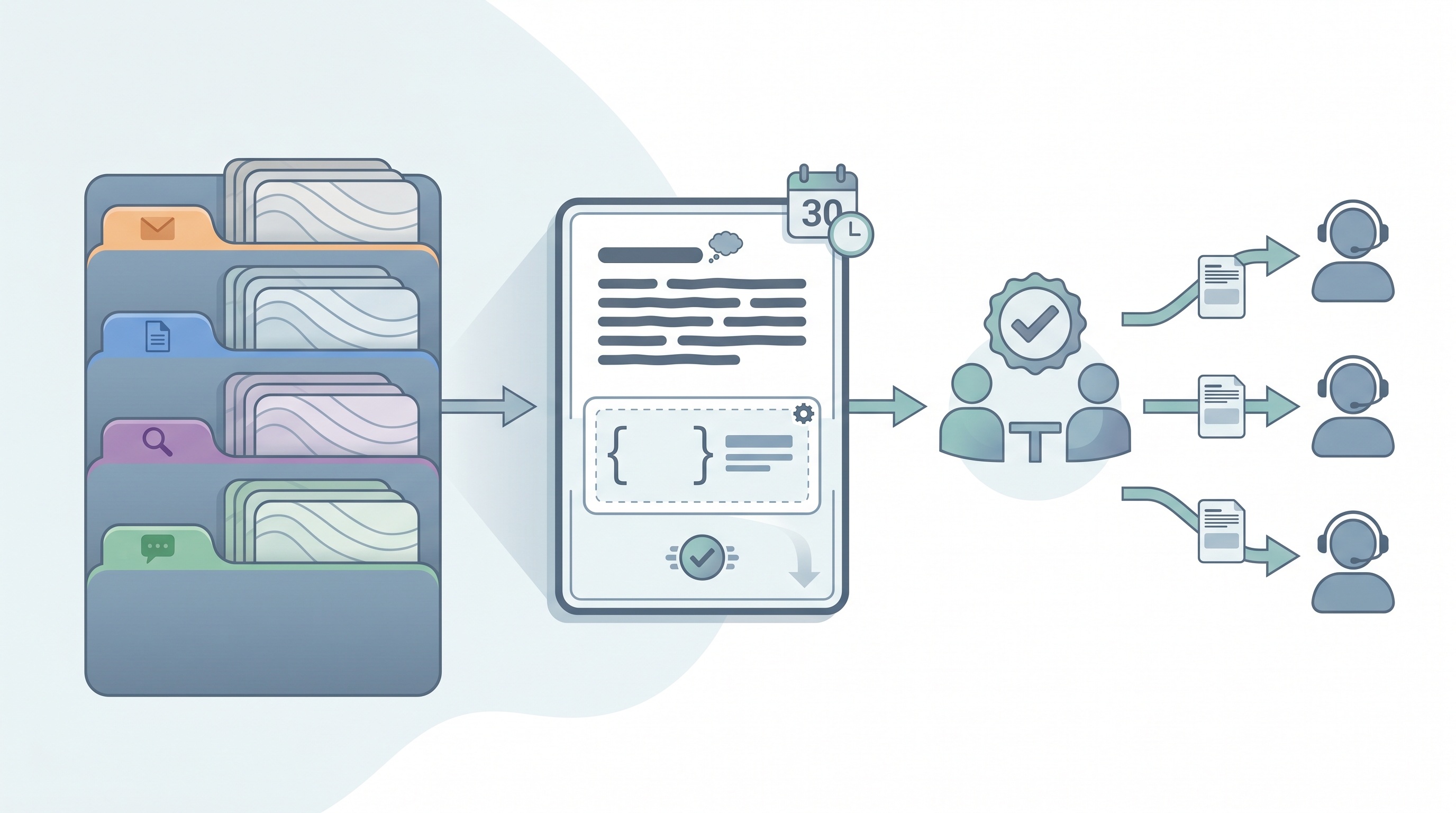
The defining difference from saved chat history is intention. Library prompts have been reviewed, annotated with the context they need, and stored somewhere the whole team can find and edit them. A prompt saved in someone's browser chat history helps one person once. A library prompt builds on what worked, records what context it needs, and notes when it breaks.
Most teams start with a Notion page or Google Doc. Some move stable prompts into system instructions once a prompt is settled. The goal is the same: reduce the time everyone spends starting from scratch on tasks the team has already solved.
In practice
- After a quarterly review, a sourcing team discovers that three different recruiters are using three different job description summary prompts, all producing inconsistent output. They consolidate the strongest one into a shared Notion page, annotate it with the context block it needs ("paste the intake call notes here"), and retire the others.
- A new recruiter joins a company that has a prompt library. On day two, she opens the outreach section, copies the cold outreach first-line prompt, pastes in the job brief, and sends her first message without waiting for a senior team member to review a draft from scratch.
- In a debrief, a TA lead says "we need to update the screening prompts" meaning the criteria for a specific role type changed and the library entry needs a new context block, not that the recruiter did anything wrong.
Quick read, then how hiring teams use it
This is for recruiters, sourcers, TA, and HR partners who need the same vocabulary in debriefs, vendor calls, and policy reviews. Skim the first section when you need a fast shared picture. Use the second when you are deciding how a prompt library fits into your team's day-to-day workflow, your ATS process, or your onboarding for new hires.
Plain-language summary
- What it means for you: Instead of everyone on the team improvising their own prompts for the same tasks, there is one place with the versions that already passed a team review, with notes on how to use them.
- How you would use it: Open the library, find the task category (outreach, JD, screening), copy the prompt, fill in the placeholders for the specific req, and run it. The context block tells you what to paste alongside the prompt.
- How to get started: Collect the prompts your team has used more than five times this month. Strip any candidate data. Put them in one shared doc with a category label and a one-line note on what each produces. That is version one.
- When it is a good time: As soon as two or more people are running AI-assisted tasks regularly. A library reduces inconsistency before it becomes a candidate experience problem.
When you are running live reqs and tools
- What it means for you: A prompt library is the layer between individual chat sessions and full workflow automation. It standardizes quality without requiring everyone to learn prompting from scratch, and it keeps prompt logic visible and editable rather than buried in an assistant config.
- When it is a good time: When the same prompt task runs across multiple reqs, when a new team member joins and needs to ramp without a senior reviewer approving every draft, or when you notice output quality varying between recruiters on the same task type.
- How to use it: Organize prompts by task type (sourcing, JD drafting, screening, comms). Add a "last tested" date to each entry. Version-control changes with at least one peer review. Add example outputs so users know what good looks like before they run a prompt for the first time.
- How to get started: Schedule a 45-minute team session to surface the prompts people already use. Build a one-page Notion doc or Google Doc. Run a quarterly review cycle: test three prompts live, replace what is stale, retire what nobody uses. Read AI outreach drafting for outreach-specific prompt patterns before adding that section to the library.
- What to watch for: Prompts with candidate data accidentally saved in the template. Prompts that produce hallucinations on edge cases nobody tested. Screening prompts with untested bias toward certain writing styles or credential patterns. And the slow drift that happens when prompts are not reviewed after a model update.
Where we talk about this
On AI with Michal live sessions, the prompt library comes up in both the AI in recruiting and sourcing automation tracks. The sourcing module covers outreach prompt patterns in detail, and the recruiting track walks teams through how to build and review a shared library rather than each person running their own private folder. If you want to see a prompt library built live with a practitioner cohort, start at Workshops and bring two or three prompts you already use so the review exercise is grounded in real work.
Around the web (opinions and rabbit holes)
Third-party creators move fast on prompt libraries. Treat these as starting points, not endorsements, and verify any prompt before you add it to a shared team resource.
YouTube
- Search "recruiting prompt library" or "ChatGPT prompts for recruiters" on YouTube and filter by recent uploads. The product landscape shifts quickly and recent walkthroughs are more useful than videos from more than twelve months ago.
- Videos that show a before-and-after on prompt output quality are more useful than generic "best prompts" lists. Look for creators who explain why a prompt works, not just what it says.
- r/recruiting threads on AI prompts surface honest practitioner takes on which prompt patterns save time versus which ones add review steps without payoff.
- r/ChatGPT has community threads on prompt formats and context blocks that apply to recruiting use cases even when the examples are not HR-specific.
Quora
- Searches for "AI prompts for recruiters" and "prompt library for HR" on Quora return a range of practitioner-written answers. Answer quality varies and dates matter for a fast-moving topic, so read critically and check when each answer was written.
Prompt library versus ad-hoc prompting versus system instructions
| Approach | Visibility | Team access | Maintenance | Best for |
|---|---|---|---|---|
| Ad-hoc prompting | Personal | No | None | Individual exploration |
| Prompt library | Shared doc | Yes | Quarterly review | Team standardization |
| System instructions | Assistant config | Config only | On policy change | Consistent assistant behavior |
| Prompt chain | Automated flow | Via automation | On logic change | Repeated multi-step tasks |
Related on this site
- Glossary: System instructions, Prompt chain, AI outreach drafting, AI slop, Hallucination, Few-shot prompting, Workflow automation
- Blog: AI sourcing tools for recruiters
- Live cohort: Workshops
- Self-paced: Starting with AI: foundations in recruiting
- Membership: Become a member