AI for hiring
Using AI tools and techniques across the hiring lifecycle, from writing job descriptions and sourcing candidates to screening resumes, drafting outreach, and analysing pipeline data, to help recruiters move faster without lowering decision quality.
Michal Juhas · Last reviewed May 4, 2026
What is AI for hiring?
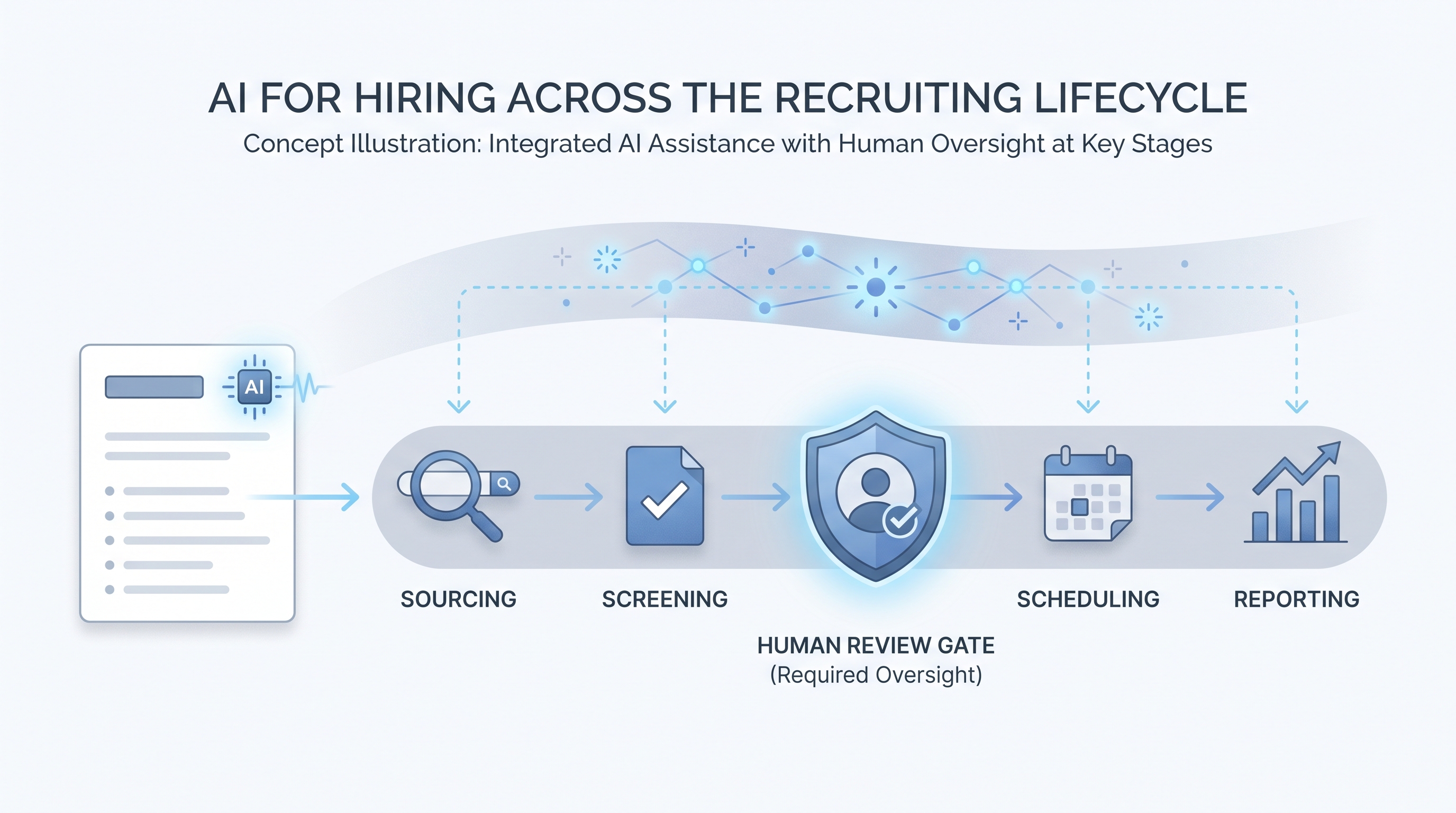
AI for hiring means applying machine learning tools at specific steps across the recruiting lifecycle, not just at one gate. In practice that covers language models drafting job descriptions from intake notes, semantic search matching resumes against a brief without exact-keyword filters, automation routing candidates through ATS stages, and analytics dashboards identifying where the pipeline stalls.
The phrase covers both a simple ChatGPT prompt a recruiter runs before copy-pasting into their ATS, and a fully integrated platform that surfaces ranked shortlists to hiring managers. What ties them together is AI handling something that used to require manual attention at each step.
In practice
- When a sourcer asks an LLM to write three outreach messages for a senior data engineer role and edits the best one before sending, that is AI for hiring at its simplest.
- When a TA ops team wires a webhook so every screening call auto-generates a structured summary appended to the ATS candidate record, that is AI for hiring with light automation.
- When a platform vendor advertises "AI-ranked shortlists" it usually means their model scored resumes against a job description and sorted by probability of advancing, a step that needs a human review gate before a recruiter acts on it.
Quick read, then how hiring teams use it
This section is for recruiters, sourcers, TA partners, and HR leaders who need the same vocabulary for vendor calls, debrief conversations, and tool decisions. Skim the first part for a shared definition. Read the second when you are deciding what to try, buy, or put in front of a hiring manager.
Plain-language summary
- What it means for you: AI for hiring is a label for any tool or technique that uses machine learning to help your team move candidates faster: writing, searching, summarising, scheduling, or predicting outcomes.
- How you would use it: You connect AI to a specific step where you lose time each week, write or pick a prompt for that step, and review the output before it touches a candidate record or goes out as a message.
- How to get started: Start with one output you already produce manually (a screening summary, a job post, an outreach draft) and ask an LLM to do a first draft. Compare it to your own work for two weeks before adding automation.
- When it is a good time: After you know exactly what a good output looks like and can spot a bad one in 30 seconds. Not while the process is still changing every week.
When you are running live reqs and tools
- What it means for you: AI for hiring shifts recruiter time from production tasks (first drafts, note formatting, search query construction) to judgment tasks (calibration, candidate relationships, offer negotiation). That trade-off only holds if outputs are reviewed before they hit your ATS or a candidate inbox.
- When it is a good time: After you have stable prompts, a review gate, and someone named as the owner for errors. Workflow automation that fires before those conditions are met creates more problems than it saves.
- How to use it: Pair an LLM drafting layer with your ATS and comms stack. Keep candidate-facing sends behind a human gate. Log what each prompt is doing so compliance questions have a paper trail.
- How to get started: Pick one integration: call summaries pushed to candidate notes, or JD drafts from intake form answers. Ship that with a review step before you add a second automation. Read AI in recruiting for the funnel-wide view of where AI connects.
- What to watch for: Confident wrong output, stale data passed through as true, and prompts baked into automations that nobody updates when policy or job requirements change.
Where we talk about this
On AI with Michal sessions, "AI for hiring" is the opening frame: we define the scope across the full funnel before narrowing into sourcing automation or interview workflows. The AI in recruiting workshop track covers the lifecycle with live tool demos and real req briefs. The sourcing automation track goes deeper on outreach sequences and ATS integrations. If you want the room conversation with peer pressure-testing rather than a static page, start at Workshops and bring a real role to work on.
Around the web (opinions and rabbit holes)
Third-party creators move fast here. Treat these as starting points, not endorsements, and verify compliance postures and vendor details directly before wiring candidate data to any script you find.
YouTube
- AI in Recruiting: What Talent Teams Need to Know covers the practical landscape for TA teams adopting AI tools across the funnel.
- Introduction to Generative AI (Google Cloud Tech) explains the foundation models that power most AI for hiring tools, useful for pressure-testing vendor claims.
- AI Bias and Fairness Explained (IBM Technology) covers the algorithmic fairness concepts that apply whenever an AI system scores or ranks candidates.
- How are you actually using AI in your recruiting workflow right now? in r/recruiting is a candid survey of tools and use cases from practitioners in the chair.
- AI tools for recruiting: 6 months in, what worked and what did not in r/recruiting is honest about failure modes you do not see in vendor demos.
- Has AI made recruiting easier or just different? in r/Recruitment covers both the efficiency gains and the anxiety that AI adoption surfaces in teams.
Quora
- How can AI be used in the hiring process? collects varied practitioner perspectives across sourcing, screening, and scheduling use cases.
AI for hiring across the funnel
| Stage | What AI does | What still needs a human |
|---|---|---|
| Sourcing | Drafts outreach, runs semantic search over ATS | Approves before send, evaluates culture fit |
| Screening | Summarises resumes, fills scorecard fields | Makes the advance or reject call |
| Scheduling | Suggests times, sends calendar invites | Handles edge cases and rescheduling |
| Reporting | Flags pipeline bottlenecks, tracks conversion | Validates with context, presents to leadership |
Related on this site
- Glossary: AI in recruiting, AI recruiting tools, AI hiring software, Human-in-the-loop, Workflow automation, Scorecard, AI adoption ladder, AI bias audit, Resume parsing
- Blog: AI sourcing tools for recruiters
- Guides: Sourcers
- Workshops: AI in recruiting
- Courses: Starting with AI: the foundations in recruiting
- Membership: Become a member