Best employee onboarding software
Selecting the right onboarding platform for new hires based on task routing, integration fit with your ATS and HRIS, compliance coverage, and AI features, so HR, IT, and managers coordinate from offer acceptance through a productive first week.
Michal Juhas · Last reviewed May 5, 2026
What is the best employee onboarding software?
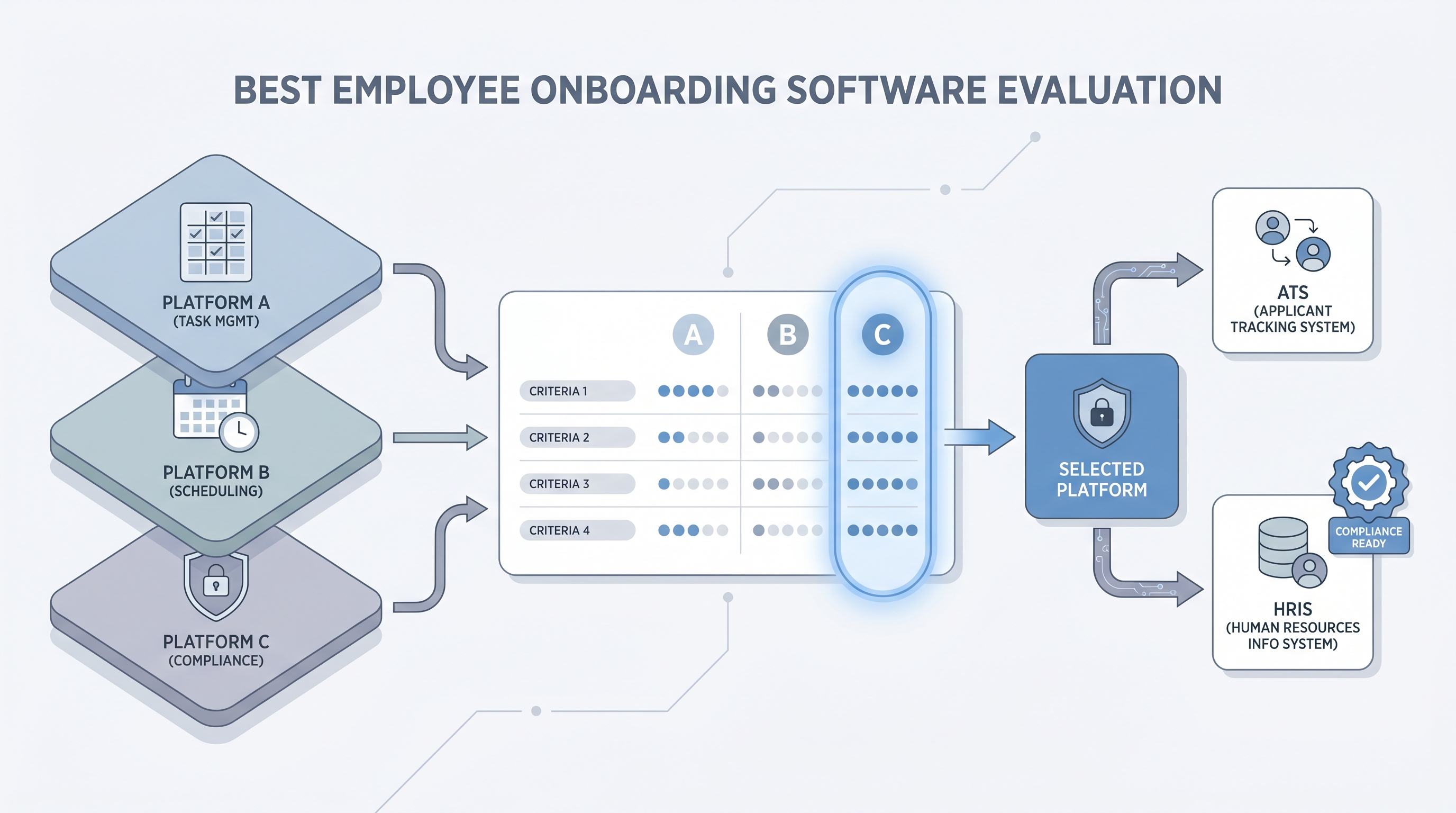
There is no single best option. The right employee onboarding software is the one that maps onto your existing ATS, HRIS, and IT provisioning process without requiring a months-long professional services engagement to wire the integrations. A platform with impressive features that your IT team will not support, or that your ATS cannot feed data into cleanly, creates more coordination debt than the manual email process it replaces.
The most important evaluation question is not "what does this tool offer?" but "what will break on day one if we go live before a dry run?"
In practice
- A head of People at a 40-person startup evaluated three onboarding platforms, ranked them by feature list, picked the top one, then discovered the ATS integration required a professional services package that cost more than the annual license. The "second-best" platform had a native connector that took an afternoon to configure.
- A recruiter at a retail company described choosing onboarding software as picking "whatever HR prefers." IT had to be pulled back in after go-live because the laptop provisioning step was wired to a shared inbox nobody on IT actually monitored, and it had been silently failing for two months before anyone connected the late laptops to the platform.
- In debriefs after live sessions, People Ops leads consistently say the same thing: the hardest part of choosing onboarding software is not the demo, it is getting IT and legal into the evaluation before the contract is signed, not after.
Quick read, then how hiring teams use it
This is for HR business partners, TA leads, and People Ops teams evaluating onboarding software for the first time or replacing an existing tool. Skim the first section for evaluation criteria that hold across company sizes. Use the second when you are comparing platforms against your specific ATS, HRIS, and compliance requirements.
Plain-language summary
- What it means for you: "Best" onboarding software is shorthand for the tool that removes the most manual coordination from your specific hiring flow: assigning tasks to named owners, triggering IT provisioning without email, and storing compliance documents with timestamps.
- How you would use it: Map your current onboarding steps on paper first. Identify which steps break most often and who owns each one. Only then run vendor demos using those specific steps, not the vendor's sample workflow.
- How to get started: Pull a completion report from your last five onboarding runs. Find the step with the highest overdue rate. Evaluate whether each vendor can solve that one failure mode cleanly before evaluating the rest.
- When it is a good time: When more than one team is involved in new hire setup, when the same manual step fails repeatedly, or when a compliance audit asks for timestamp evidence your current process cannot provide.
When you are running live reqs and tools
- What it means for you: Onboarding software is an integration point as much as a workflow tool. It needs to receive data from the ATS without field-mapping gaps, trigger IT provisioning in the system your IT team actually uses, and push the completed employee record to your HRIS. Evaluating features in isolation misses the part that breaks first.
- When it is a good time: After your onboarding template is stable and runs correctly for at least five hires in a row. Wire the ATS-to-onboarding integration and IT provisioning trigger on top of a working process, not as a substitute for one.
- How to use it: Bring a real hire profile to the vendor demo. Confirm where each ATS field maps in the platform. Ask specifically how the platform handles a jurisdiction your current flow does not cover (a second country, a contractor vs employee distinction). Log that conversation before signing.
- How to get started: Ask for reference contacts at companies your size with your ATS and HRIS. Run a full dry-run on a test profile before any live hire. Compare the overdue-task alert mechanisms across platforms: a platform that surfaces failures late is worse than no automation.
- What to watch for: Silent integration failures when the ATS sync fires but a required field arrives blank; IT provisioning tasks routed to a shared inbox nobody monitors; AI-generated onboarding plans that reach the new hire before the hiring manager has confirmed the first-project scope.
Where we talk about this
On AI with Michal live sessions we cover the post-hire handoff in AI in recruiting tracks: how ATS data should flow into an onboarding platform without manual re-entry, where no-code recruiting automation replaces provisioning email chains, and which AI onboarding features are ready for production versus still early for most teams. If you want the full room conversation about what works and what fails in real stacks, start at Workshops and bring your current onboarding template and your ATS name.
Around the web (opinions and rabbit holes)
Third-party creators move fast in this space. Treat these as starting points, not endorsements. Verify tool capabilities and compliance postures directly with vendors before connecting employee or candidate data.
YouTube
- Employee Onboarding Process (Step by Step) walks the end-to-end journey before you configure a tool, which prevents wiring a broken process into a capable platform during an evaluation.
- How to Build an Onboarding Program for New Employees is an HR-native walkthrough useful for aligning the People team on what any software should actually support before you shortlist vendors.
- BambooHR Employee Onboarding Overview is a vendor walkthrough worth watching not to evaluate BambooHR specifically, but to understand what task routing, completion tracking, and manager coordination look like in a mature onboarding platform before your own evaluation calls.
- What onboarding software does your company use? in r/humanresources collects candid practitioner opinions across company sizes, HRIS combinations, and ATS integrations.
- What are your new hire onboarding horror stories? in r/humanresources surfaces the IT provisioning and template-owner failures that vendor demos never show, and is worth reading before any evaluation call.
- First employee -- how did you handle onboarding? in r/startups covers the real tradeoff between spreadsheet process and a formal platform at the early stage.
Quora
- What is the best employee onboarding software for a small business? collects practitioner opinions across budget ranges and HRIS contexts (quality varies, so read critically and cross-reference with the Reddit threads above).
Onboarding software fit by company stage
| Stage | Best-fit approach | Most common evaluation mistake |
|---|---|---|
| Under 30 employees | HRIS onboarding module (avoid a separate tool) | Paying for features before the process is defined |
| 30-200 employees | Purpose-built platform with ATS native connector | Underestimating the integration setup effort and timeline |
| 200+ employees | Suite module or best-of-breed with IT and legal sign-off | Starting evaluation without IT and legal in the room |
Related on this site
- Glossary: Employee onboarding software, Applicant tracking software, Workflow automation, Human-in-the-loop, No-code recruiting automation, Hiring platforms, AI in recruiting, Talent acquisition metrics
- Comparison terms: Best applicant tracking software, Best applicant tracking system
- Workshops: AI in recruiting
- Course: Starting with AI: the foundations in recruiting
- Membership: Become a member