LinkedIn Recruiter AI features
The suite of AI capabilities built into LinkedIn Recruiter and Recruiter Lite, covering natural-language search, candidate recommendations, AI-drafted InMail, Smart Replies, and the LinkedIn Hiring Assistant autonomous sourcing agent.
Michal Juhas · Last reviewed May 5, 2026
What are LinkedIn Recruiter AI features?
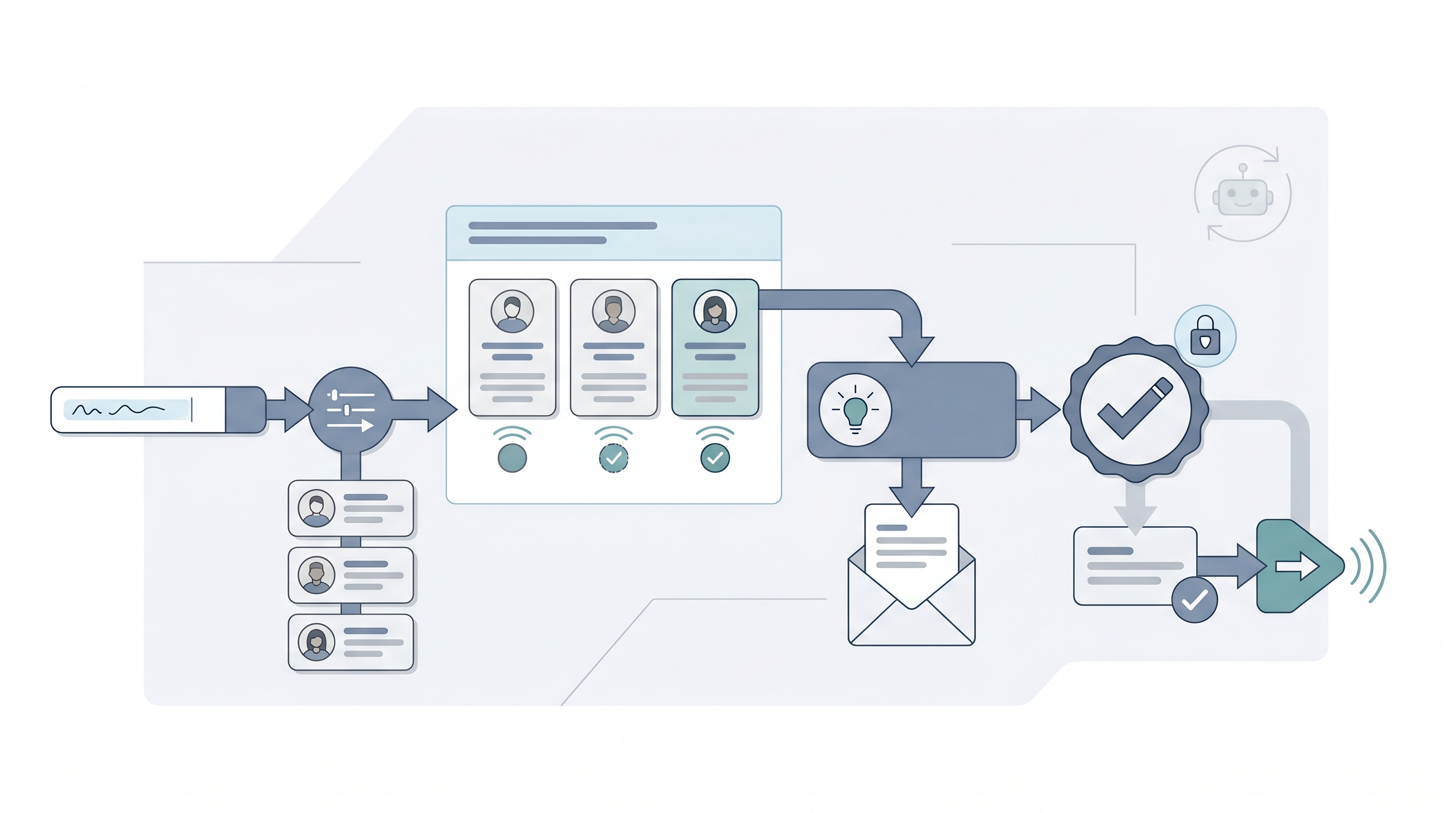
LinkedIn Recruiter is LinkedIn's premium sourcing platform, and since 2023 it has shipped a growing set of AI-powered capabilities layered into the search, candidate recommendations, outreach, and inbox workflows. The term covers everything from natural-language search queries that translate plain descriptions into filter sets, to AI-drafted InMail messages, Smart Reply suggestions for inbox messages, and the more recent LinkedIn Hiring Assistant, an autonomous agent that can run sourcing tasks on behalf of a recruiter with limited step-by-step oversight.
Knowing which features exist, which tier they require, and where each one needs a human-in-the-loop review is practical knowledge for any sourcer or TA lead using LinkedIn Recruiter today.
In practice
- A sourcer types "ex-startup SRE with AWS and Kubernetes experience, open to remote" into LinkedIn Recruiter AI-Assisted Search and gets a shortlist in under a minute. They cross-check it against a Boolean string before sending InMails.
- A TA coordinator enables Smart Replies in the LinkedIn inbox and uses suggested responses to acknowledge candidate messages faster, but writes the substantive follow-up in their own words.
- A TA lead reviewing a LinkedIn Hiring Assistant pilot notices the autonomous InMail volume is 40 messages per week per req, far above what the team can spot-check, and sets a manual review gate before allowing the agent to run unsupervised.
Quick read, then how hiring teams use it
This is for recruiters, sourcers, TA, and HR partners who need the same vocabulary in debriefs, vendor calls, and policy reviews. Skim the first section when you need a fast shared picture. Use the second when you are deciding how LinkedIn Recruiter AI fits your daily workflow, your ATS, or your compliance obligations.
Plain-language summary
- What it means for you: LinkedIn Recruiter has added AI to search, recommendations, and drafting. Each feature reduces a specific manual step, but none removes the judgment call of whether a candidate is worth contacting.
- How you would use it: Use AI-Assisted Search for exploratory queries, then verify the population with a Boolean string. Use InMail AI drafting as a starting point, then rewrite the opening line for each candidate.
- How to get started: Open a live req in LinkedIn Recruiter, run the same search twice: once with AI-Assisted Search and once with your best Boolean string. Compare the two shortlists for overlap, uniqueness, and any obvious gaps.
- When it is a good time: When your InMail volume is high enough that drafting each message from scratch is a bottleneck, and when your team has agreed on what a human review of AI output looks like before send.
When you are running live reqs and tools
- What it means for you: The AI features in LinkedIn Recruiter sit on top of LinkedIn's profile database and behavioral signals. They inherit whatever biases and gaps exist in that data, which means periodic audits of recommendation quality and sourcing diversity are not optional.
- When it is a good time: After you have documented how each feature fits your team's process: which steps a recruiter reviews, which decisions the AI makes autonomously, and who is accountable when a candidate population turns out to be non-representative.
- How to use it: Enable AI-Assisted Search for exploratory sourcing but keep a documented Boolean equivalent for defensible pipelines. Use InMail drafting with a mandatory edit step, not a send-as-generated workflow. For LinkedIn Hiring Assistant, start with a supervised pilot on one low-risk req before expanding.
- How to get started: Audit your current LinkedIn Recruiter contract to confirm which AI features are enabled. Read the data processing addendum before using Hiring Assistant on roles with EU candidates. See AI outreach drafting and candidate data enrichment for the adjacent workflows.
- What to watch for: Recommendation drift toward demographic proxies from past hires, InMail drafts that lack a personalized opening line (lowering reply rates), autonomous Hiring Assistant sends that exceed what your team can spot-check, and GDPR Article 22 risk if any AI step screens candidates out without human review.
Where we talk about this
On AI with Michal live sessions, LinkedIn Recruiter comes up in nearly every sourcing conversation because it is the default platform most participants already have access to. The AI in recruiting and sourcing automation tracks both cover it: the former focuses on search quality, InMail craft, and what AI drafting does to reply rates; the latter covers how LinkedIn Recruiter connects into broader workflow automation stacks via webhooks or ATS integrations. If you want the room conversation rather than just this page, start at Workshops and bring a specific LinkedIn search or InMail you are trying to improve.
Around the web (opinions and rabbit holes)
Third-party creators move fast on LinkedIn Recruiter updates. Treat these as starting points, not endorsements, and double-check anything before changing your sourcing process or InMail cadence.
YouTube
- LinkedIn Recruiter AI search features for walkthroughs of AI-Assisted Search, candidate recommendations, and Hiring Assistant from sourcing practitioners
- LinkedIn Hiring Assistant demo for product-level overviews and early adopter feedback on the autonomous sourcing agent
- LinkedIn Recruiter InMail AI writing tips for before-and-after comparisons of AI-drafted versus human-written InMail and their effect on reply rates
- r/recruiting: LinkedIn Recruiter AI for candid practitioner feedback on which AI features save time and which produce generic output that damages response rates
- r/humanresources: LinkedIn Hiring Assistant for compliance-focused threads on autonomous sourcing agents, data processing concerns, and what HR policy teams are saying
- r/RecruitmentAgencies: LinkedIn AI sourcing for agency-side views on AI InMail volume, candidate response quality, and how clients react to AI-drafted outreach
Quora
- How do LinkedIn Recruiter AI features work? for practitioner answers from sourcers and TA leads describing day-to-day use (read critically; quality varies)
LinkedIn Recruiter AI features compared
| Feature | What it does | Human review needed |
|---|---|---|
| AI-Assisted Search | Translates natural language into filter sets | Yes, verify against Boolean |
| Candidate Recommendations | Surfaces profiles based on req and past-hire signals | Yes, calibrate quarterly |
| InMail AI drafting | Generates personalized first-contact message from profile | Yes, rewrite opening line |
| Smart Replies | Suggests quick responses for inbox messages | Yes, edit for substance |
| LinkedIn Hiring Assistant | Autonomous agent that searches, shortlists, and sends | Yes, supervised pilot first |
Related on this site
- Glossary: Boolean search, Human-in-the-loop, AI outreach drafting, Candidate data enrichment, AI bias audit, Scorecard, Workflow automation, AI for recruiters, AI in recruiting, Sales Navigator sourcing
- Blog: AI sourcing tools for recruiters
- Live cohort: Workshops
- Course: Starting with AI: the foundations in recruiting
- Membership: Become a member